Profit & Loss Statement
The Profit & Loss Statement summarizes the transactions recorded in a book by category for a period you choose, showing income, expenses, and the net total. It is provided as a management report to help you review your business or household finances.
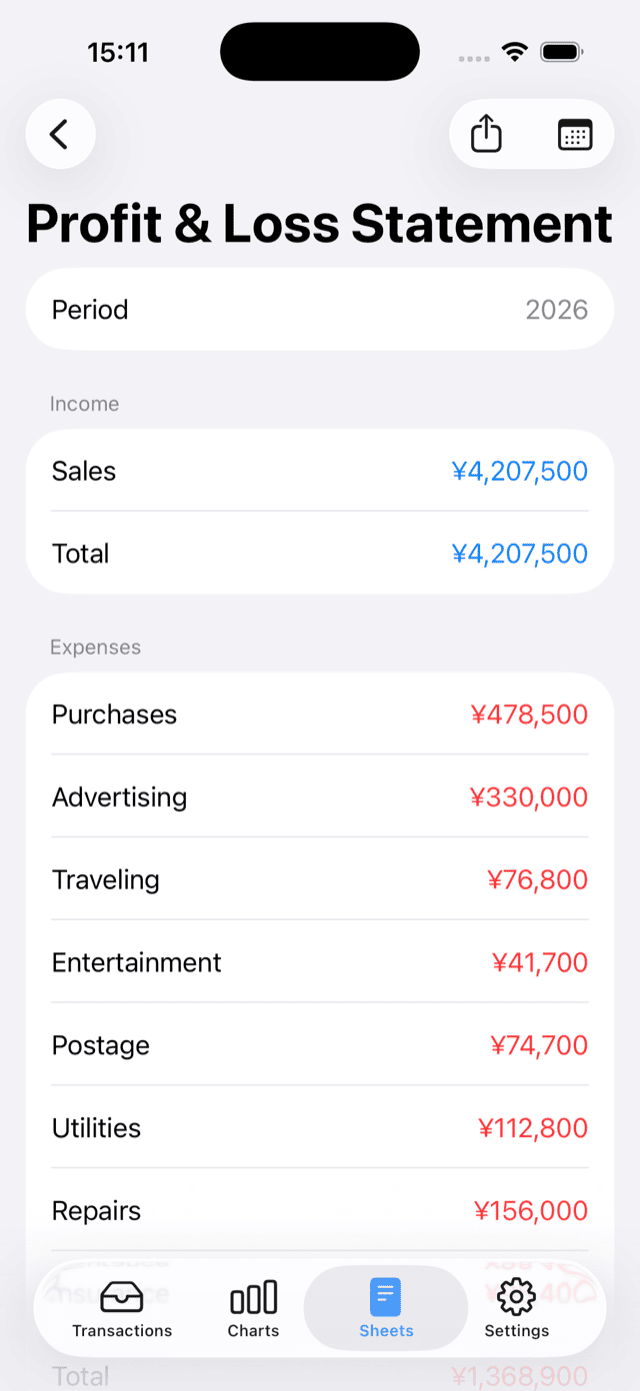
How to Use
- Open Sheets and select Profit & Loss Statement. On iPad and Mac, select Profit & Loss Statement from the sidebar.
- Tap the calendar button and choose a period: Monthly, Yearly, or Custom Period. With Custom Period, you can set any Start Date and End Date.
- Tap the share button to export the report as a PDF. From the standard share sheet you can save, share, or print it. On iPhone and iPad, Print appears in the share sheet. On Mac, you can save the PDF and open it to print.
How Amounts Are Calculated
- Transactions in the selected period are aggregated by transaction date and grouped by category.
- Transfers between accounts are not included. Moving money between your own accounts does not affect income or expenses.
- The report shows category subtotals and totals for income and expenses, and Net Total (Income − Expenses).
- A report always covers one book, and amounts are shown in the book's currency. No currency conversion is performed.
- The PDF includes the book name, period, currency, creation date, and the disclaimer note, so the document is self-contained.
Uncategorized Transactions
Transactions without a category (for example, when their category has been deleted) are not counted in income, expenses, or the net total. If such transactions exist in the selected period, the report shows a warning with the number of affected transactions. Tap the warning to view them, and assign categories again in the Transactions tab if needed.
Notes
- The report aggregates your records exactly as they are. For example, if you record owner's draws or personal withdrawals as an expense category, they are included in the expense total even though they may not be treated as expenses from an accounting perspective. Keep your category usage in mind when interpreting the figures.
- Transfers and the initial balances of accounts do not affect the report.
Disclaimer
This report is a reference document that aggregates transactions recorded in the app based on transaction dates. It is not a tax return, statutory financial statement, or an audited or certified document. Please consult an accounting or tax professional about the requirements of each country and each recipient.